How can I access my documents online?
To log in to your account, click Log in at the top of Steadily.com.
- Use the email that you gave us when you signed up to receive a verification code. No pesky passwords to remember!
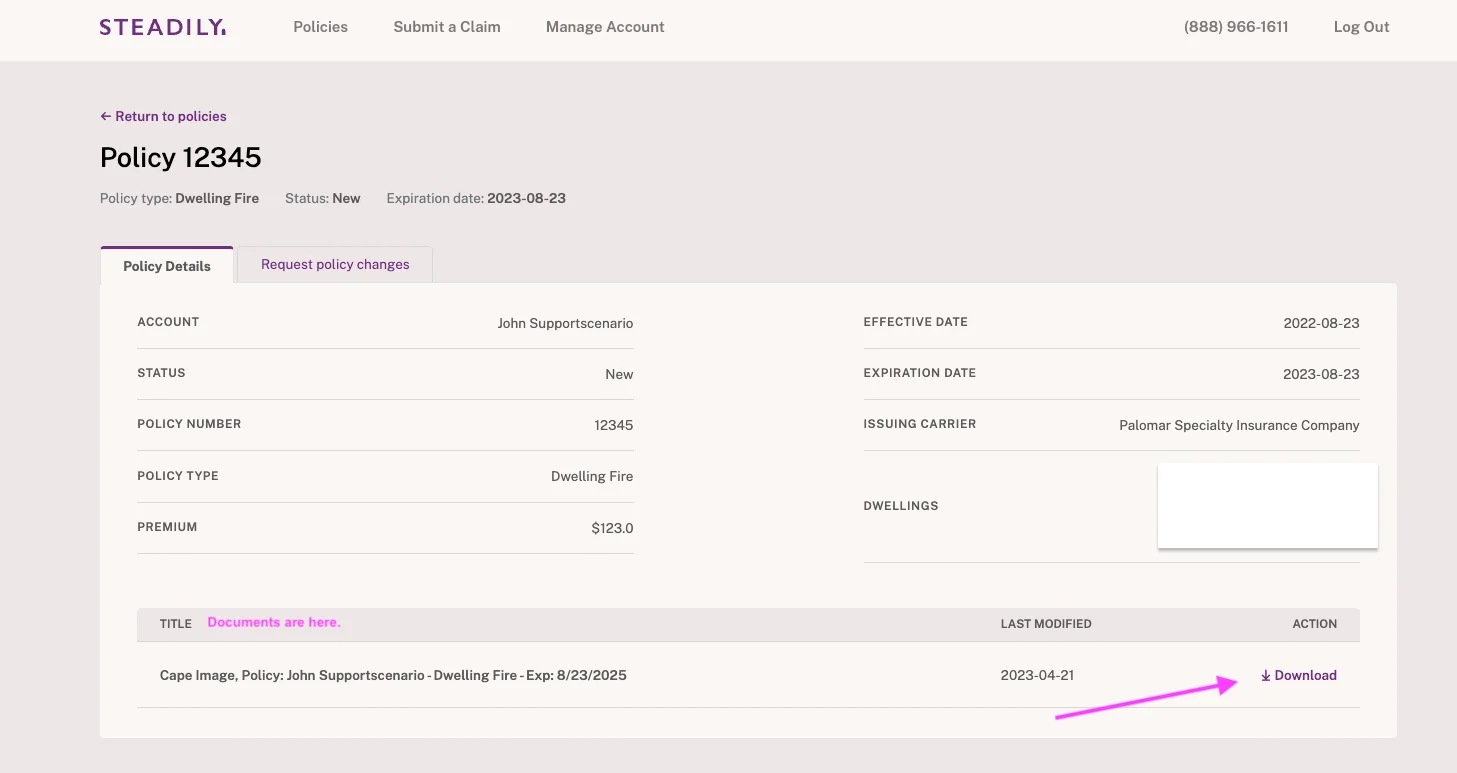
- Once logged in, you'll see a list of your policies. Click on the policy related to the documents you'd like to view.
- After opening your policy, you'll see a section at the bottom of the screen where your documents will be listed by title. You can download them directly from here.
- If the document you are looking for isn't available, you can reach out to us using the "request policy changes" tab, or by sending an email to support@steadily.com
Get coverage in minutes
Competitive rates nationwide. Purpose-built for rental property investors.
